Blog
C# Compiler Error – CS8902 ‘{0}’ is attributed with ‘unmanagedcalle

In this blog post, you’ll learn more about the C# Compiler Error – CS8902 and the related message description C# Compiler Error Code CS8902 C# Compiler Description for the Code :CS8902 ‘{0}’ is attributed with ‘UnmanagedCallersOnly’ and cannot be converted to a delegate type. Obtain a function pointer to this method.
SQL Server Error Code – 41865 file %.*ls does not have a pair file %.*
In this blog post, you’ll learn more about the SQL Server Error Code 41865 and the error message description that is shown SQL Server Error Code 41865 SQL Server Error Description for the Code :41865 File %.*ls does not have a pair file %.*ls
C# Compiler Error – CS0019 operator ‘{0}’ cannot be applied to oper
In this blog post, you’ll learn more about the C# Compiler Error – CS0019 and the related message description C# Compiler Error Code CS0019 C# Compiler Description for the Code :CS0019 Operator ‘{0}’ cannot be applied to operands of type ‘{1}’ and ‘{2}’
SQL Server Error Code – 28080 connection handshake failed. the %s_msg
In this blog post, you’ll learn more about the SQL Server Error Code 28080 and the error message description that is shown SQL Server Error Code 28080 SQL Server Error Description for the Code :28080 Connection handshake failed. The %S_MSG endpoint is not configured. State %d.
SQL Server Error Code – 12350 dml operations targeting table-valued fu
In this blog post, you’ll learn more about the SQL Server Error Code 12350 and the error message description that is shown SQL Server Error Code 12350 SQL Server Error Description for the Code :12350 DML operations targeting table-valued functions are not supported with %S_MSG.
InterSystems IRIS System Error Code – ROUTINELOAD An error occurred in loading a
In this post, you’ll learn about the System Error Code ROUTINELOAD in InterSystems IRIS database the reason why you are receiving it Error Code : ROUTINELOAD Reason for the Error code ROUTINELOAD in InterSystems IRIS DBMS An error occurred in loading a routine. This can indicate that the routine?s OBJ code (object code) is corrupt, which can possibly lead to database degradation. Contact your system…
InterSystems IRIS TSQL Code 20025 The publication name must be unique. The
In this post, you’ll learn about the SQL error code 20025 in InterSystems IRIS database the reason why you are receiving the TSQL message when using the InterSystems IRIS data platform Error Code : 20025 Reason for the Error code 20025 in InterSystems IRIS DBMS The publication name must be unique. The specified publication name ‘%s’ has already been used.
InterSystems IRIS TSQL Code 14263 Target server ‘%s’ is already a member o
In this post, you’ll learn about the SQL error code 14263 in InterSystems IRIS database the reason why you are receiving the TSQL message when using the InterSystems IRIS data platform Error Code : 14263 Reason for the Error code 14263 in InterSystems IRIS DBMS Target server ‘%s’ is already a member of group ‘%s’.
InterSystems IRIS General Error Code – 5455
In this post, you’ll learn about the General error code 5455 in InterSystems IRIS database the reason why you are receiving the error message when using the InterSystems IRIS data platform Error Code : 5455 Reason for the Error code 5455 in InterSystems IRIS DBMS Trigger ‘%1’ event invalid
InterSystems IRIS General Error Code – 821
In this post, you’ll learn about the General error code 821 in InterSystems IRIS database the reason why you are receiving the error message when using the InterSystems IRIS data platform Error Code : 821 Reason for the Error code 821 in InterSystems IRIS DBMS Access Denied: Cannot access %1
Windows System Error Code 1465 – ERROR_XML_PARSE_ERROR (0x5B9)]
In this post, you’ll learn about the Windows System Error ERROR_XML_PARSE_ERROR (0x5B9)] and the reason why you are receiving the error message How does this Error in Windows Look like? Error Code 1465 ERROR_XML_PARSE_ERROR (0x5B9)] Why do you receive the System Error Error Code 1465 ERROR_XML_PARSE_ERROR (0x5B9)] in Windows? Windows was unable to parse the requested XML data.
How to Turnoff Frame rate counter in UWP App ?
You can turn off the frame rate counter in your Universal Windows Platform (UAP) apps by following the below steps. How to Turnoff Frame rate counter in UWP App ? 1. Open your UWP project built using C# and XAML in Visual Studio. 2. From Visual Studio Solution explorer , open App.xaml.cs. 3. Set the DebugSettings.EnableFrameRateCounter property with the false false. as shown below.
Recent Stories
-

AI Reliability Architecture (ReAct, Guardrails, HITL) youtube.com
-

The Future of Software Architecture: Role of an Architect in... youtube.com
-

Stop using Event-Driven Architecture for your CRUD apps youtube.com
-
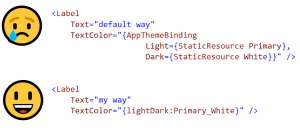
Improve .NET MAUI’s AppThemeBinding? (Matt Lacey) mrlacey.com
-
How to Create 80+ WPF Chart Types (Greg Lutz) developer.mescius.com