How to read file contents from command line in Windows 10 ?
You can use the command “type” in the command line to read the contents of the text file in Windows 10.
How to read file contents from command line in Windows 10 ?
Lets say , you want to print the contents of the file d:\ac.txt.
Below is the command that you will be using.
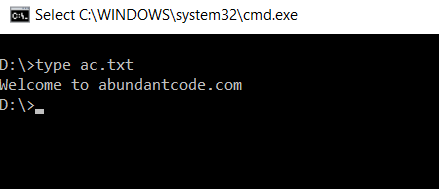
type d:\ac.txt
D:\>type ac.txt Welcome to abundantcode.com D:\>
Share this:
Popular Stories
-
Ingesting Data into Databricks | Data Engineering in Databricks youtube.com
-
Learn Databricks for FREE (Step-by-Step Guide) youtube.com
-
AI Just Took Half the Data Engineering Jobs. Here's What's... youtube.com
-
How to Structure an AI Project for Data Engineering youtube.com
-
YouTube Data Analysis | End-to-End Data Engineering Project youtube.com
Tags
.NET Errors
App
C#
C# Errors
C# programs
COBOL Error Messages
csharp
database
Database Error Messages
DB2 Error Messages
Delphi Errors
Erply API
F#
Google Play
guide
How to
IBM Application Discovery and Delivery Intelligence
IBM InfoSphere Information Server
IBM QRadar
IBM Workload Automation
InterSystems IRIS Errors
Java
Javascript
Lab programs
LINQ
List
MariaDB Errors
MS SQL Server Error Codes
Oracle Errors
python tutorials
SQL Server
tips
tricks
TroubleShoot SQLite Errors
tutorial
tutorials
visual studio 2015
Windows
Windows 10
Windows Errors
Windows Phone
Windows Phone 8
Windows System Errors
wp8
XAML
Recent Stories
-
Ingesting Data into Databricks | Data Engineering in Databricks youtube.com
-
Learn Databricks for FREE (Step-by-Step Guide) youtube.com
-
AI Just Took Half the Data Engineering Jobs. Here's What's... youtube.com
-
How to Structure an AI Project for Data Engineering youtube.com
-
YouTube Data Analysis | End-to-End Data Engineering Project youtube.com
Leave Your Comment