How to Load an Image from a URL in Windows Phone 8?

Below is a sample code snippet demonstrating in simple steps on how to load an image on to an Image control in Windows Phone 8 using C#?
How to Load an Image from a URL in Windows Phone 8?
Uri uri = new Uri("http://Abundantcode.com/image.jpg", UriKind.Absolute)

imageControl.Source = new BitmapImage(uri);Popular Stories
Recent Stories
-

AI Reliability Architecture (ReAct, Guardrails, HITL) youtube.com
-

The Future of Software Architecture: Role of an Architect in... youtube.com
-

Stop using Event-Driven Architecture for your CRUD apps youtube.com
-
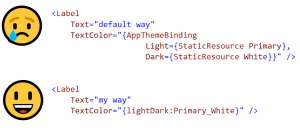
Improve .NET MAUI’s AppThemeBinding? (Matt Lacey) mrlacey.com
-
How to Create 80+ WPF Chart Types (Greg Lutz) developer.mescius.com
1 Comment
Not Working !!